Improved file interaction and user interface enhancements
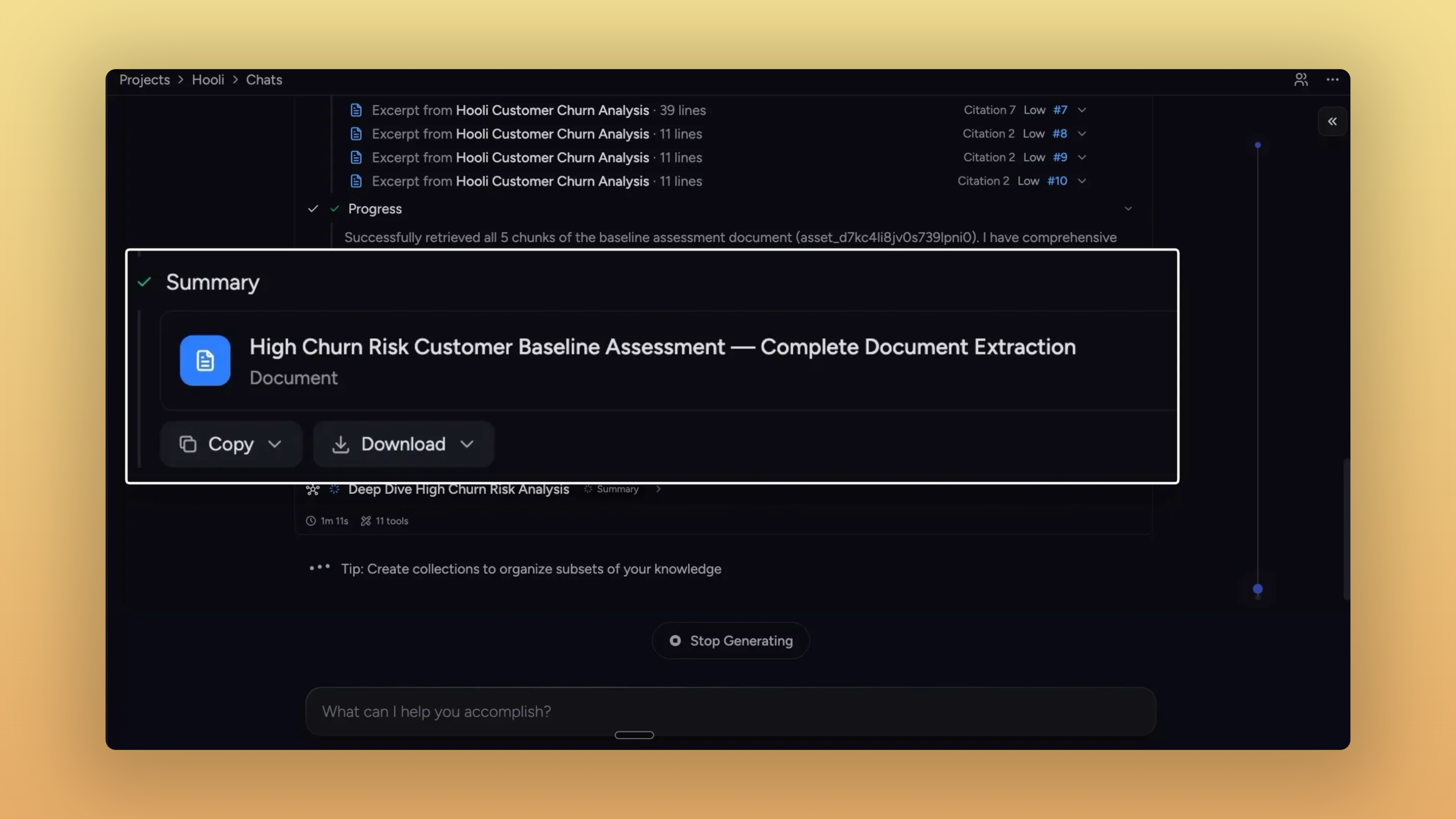
Take what Chief makes for you
The thread this stretch is what happens after Chief gives you something — reports, sub-agent outputs, action results, pasted prompts. Each one now has a clearer path out of Chief: into your library, your clipboard, or whichever file format your next step needs.
Anything Chief makes, you can take with you
If Chief made it, you can grab it.
Sub-agent reports get the same export controls as final answers.
Activity timeline: Edit, Download PDF, Add to Knowledge Base,
Summary and collaboration outputs: Copy + Download menu, with rich text on the clipboard.
Tables in those exports go cleanly to CSV or XLS.
Same actions appear in the side panel when you open a sub-agent doc.
Side-panel reports download in the format you need. PDF, Markdown, plain text, DOC — and CSV / XLS when the report contains tables.
Action outputs save straight to your library. Persisted as library assets with their execution metadata attached.
Pasted text lands in your library — with a custom title. Rename inline and save from the same dialog, no detour required.
One-click copy on every prompt. Skills, Personas, and Actions get a hover-revealed copy button on edit and view surfaces.
Bare URLs in Chief's responses are clickable. No
https://prefix needed — they open in a new tab.No more collapsible markdown toggles in answers. Responses render as plain semantic headings, easy to read and copy.
Improvements
Library
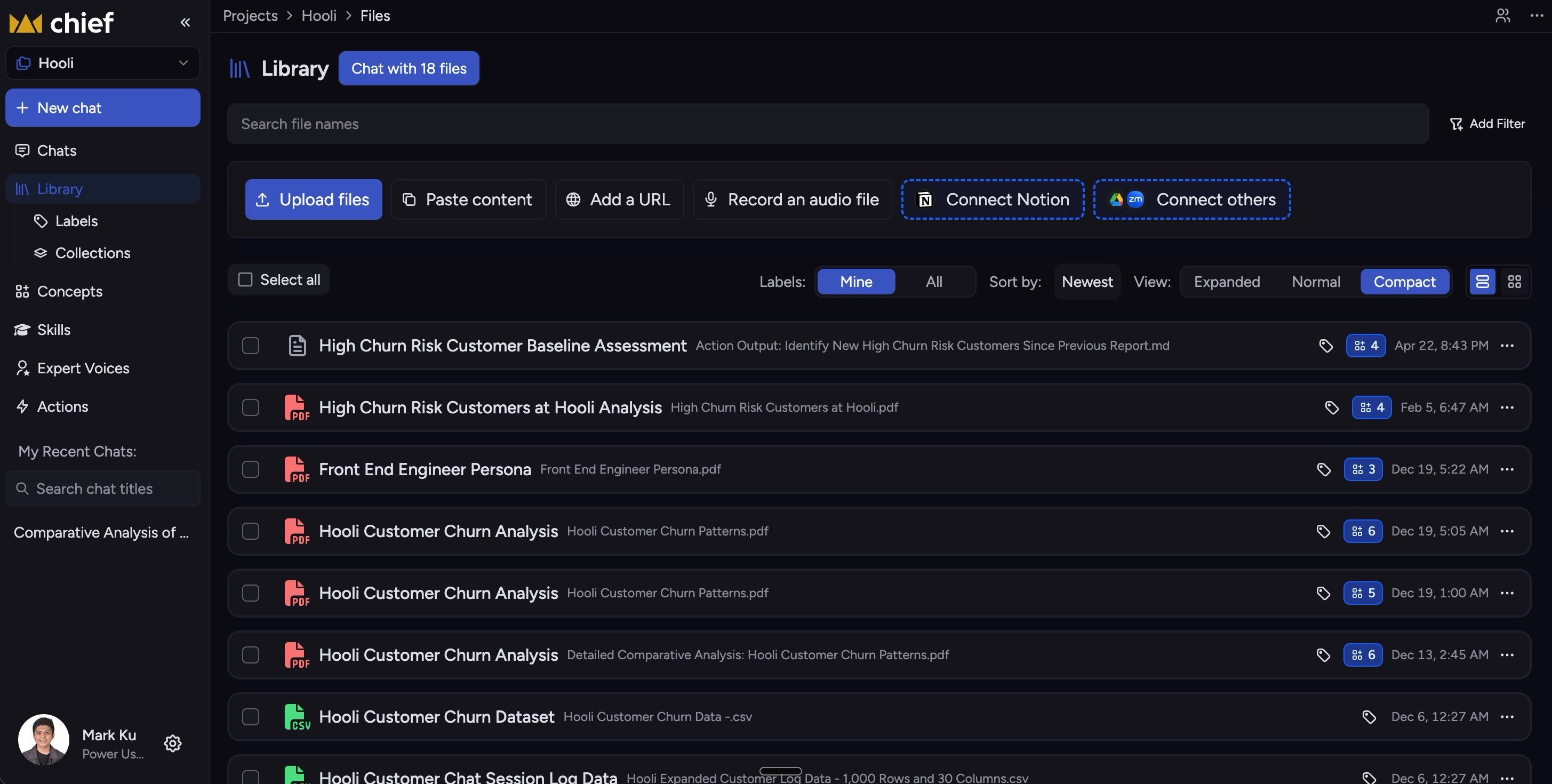
A new Compact view. Three-way View control — Expanded, Normal, Compact — collapses each row to a single line.
Toolbar lines up again. Delete, Labels, Copy, Move, Deselect now sit on one row; segmented controls match button heights.
Single-file chat stays single-file. Clicking Chat from an upload-progress toast scopes the chat to just that file.
File pages show processing status. Queued, uploading, processing, indexing, or ready — without bouncing back to the library.
Labels sort by who actually made them. "Created by you," "Created by Chief," and "Mine" now distinguish hand-made labels from auto-generated ones.
Browsable blog with label pills. Click a label on a post to browse all posts under it.
Slides & side panel
Arrow keys flip slides.
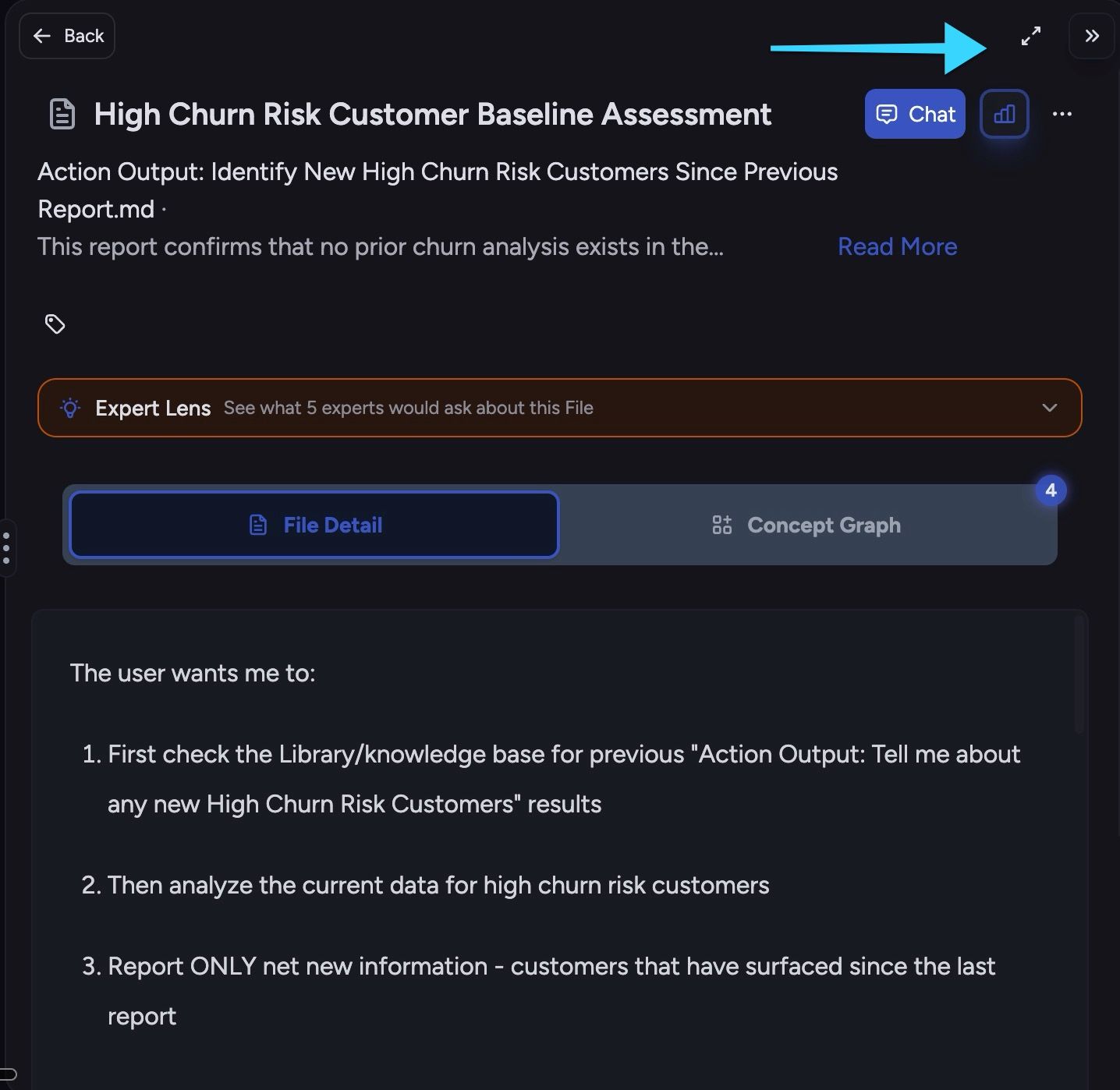
←and→advance and rewind anywhere a presentation is mounted;SpaceandEscstay scoped to fullscreen."Open in main view" is back. A diagonal-arrow button on the side-panel header promotes content into the main view.
Settings
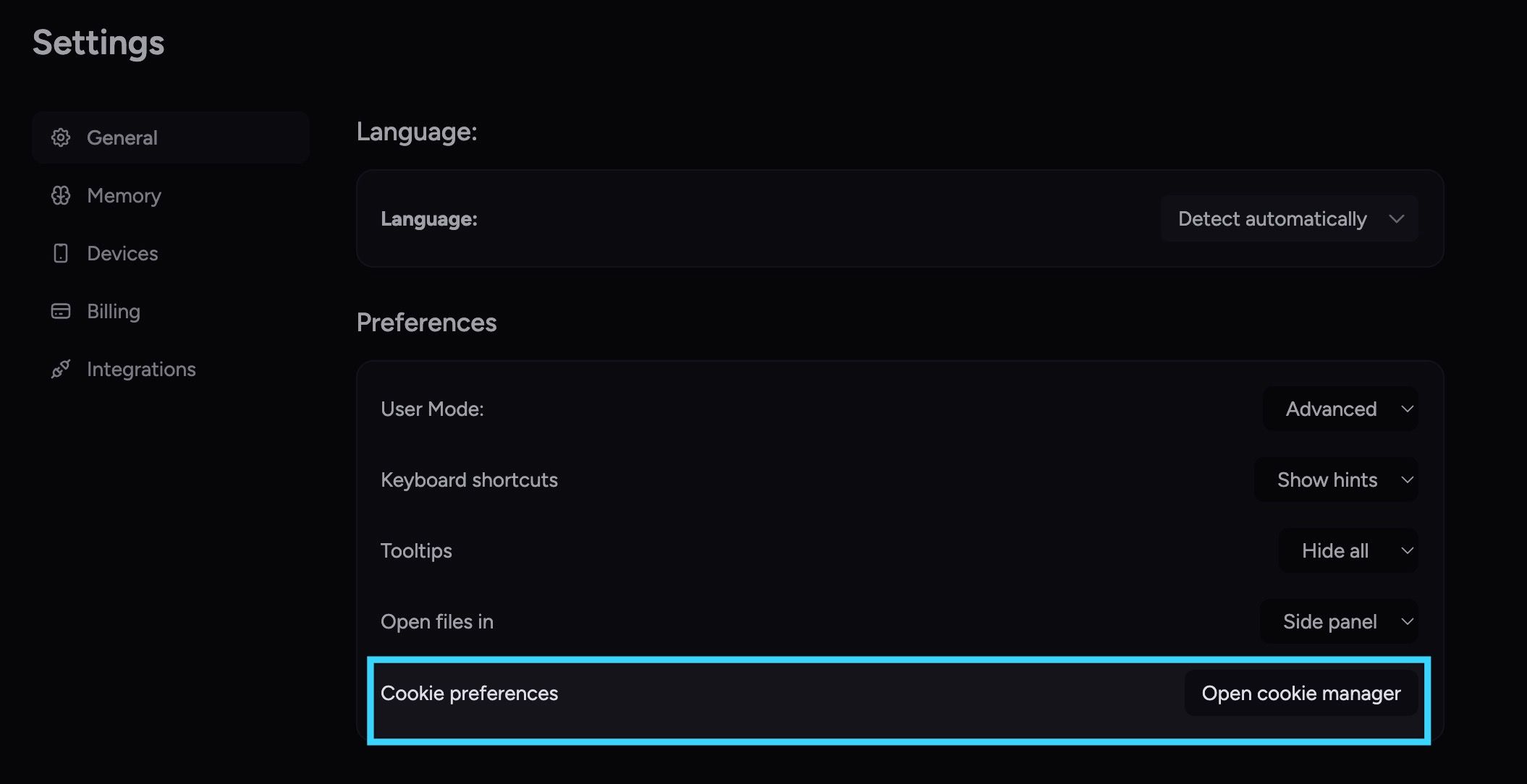
Cookie preferences live in Settings. A new "Open cookie manager" entry in Settings → General opens the consent drawer directly.
Fixes
Email & notifications
Action emails arrive once, not three times. Removed the retry loop that was firing them every two minutes.
Forwarded unsubscribe links can't be abused. Submitting unsubscribe now requires the recipient's email; one-click from native mail clients still works.
Files & sharing
Re-uploaded files become visible to Chief again. Stale asset IDs from deleted versions get dropped from chat scope on load.
Spreadsheet counts and warnings stop double-counting.
The prompt bar and sent-message header count each file once across scope and @mentions.
The "spreadsheet + entire library" warning clears the moment you exclude a file.
Adding spreadsheets through the picker after excluding a file actually commits.
Action-created secret share links show up in the share UI. No more digging through email to recover them.
Newly-made labels show their files immediately. No more empty "Contains 0 Files" right after tagging.
Drafts & prompts
Prompts survive network drops and credit refills.
Drafts persist across submit failures.
Offline submits auto-retry when you come back online.
Refilling credits mid-thread returns you to that thread, not the homepage.
Launchpad templates stop following you between chats. They no longer save into the project's draft slot.
UI polish
Activity timeline expands reliably on Chrome / Windows. First click on the grayscale spectator strip works.
Presentation slides don't collapse after a theme change. Switching themes no longer flattens the slide area to zero height.
Expert Voice Edit and Copy stay visible on long prompts. They stick to the top of the card while you scroll.
Action forms tell you what's missing. Submit with empty required fields scrolls the first invalid field into view and focuses it.