May 14, 2026 Releases
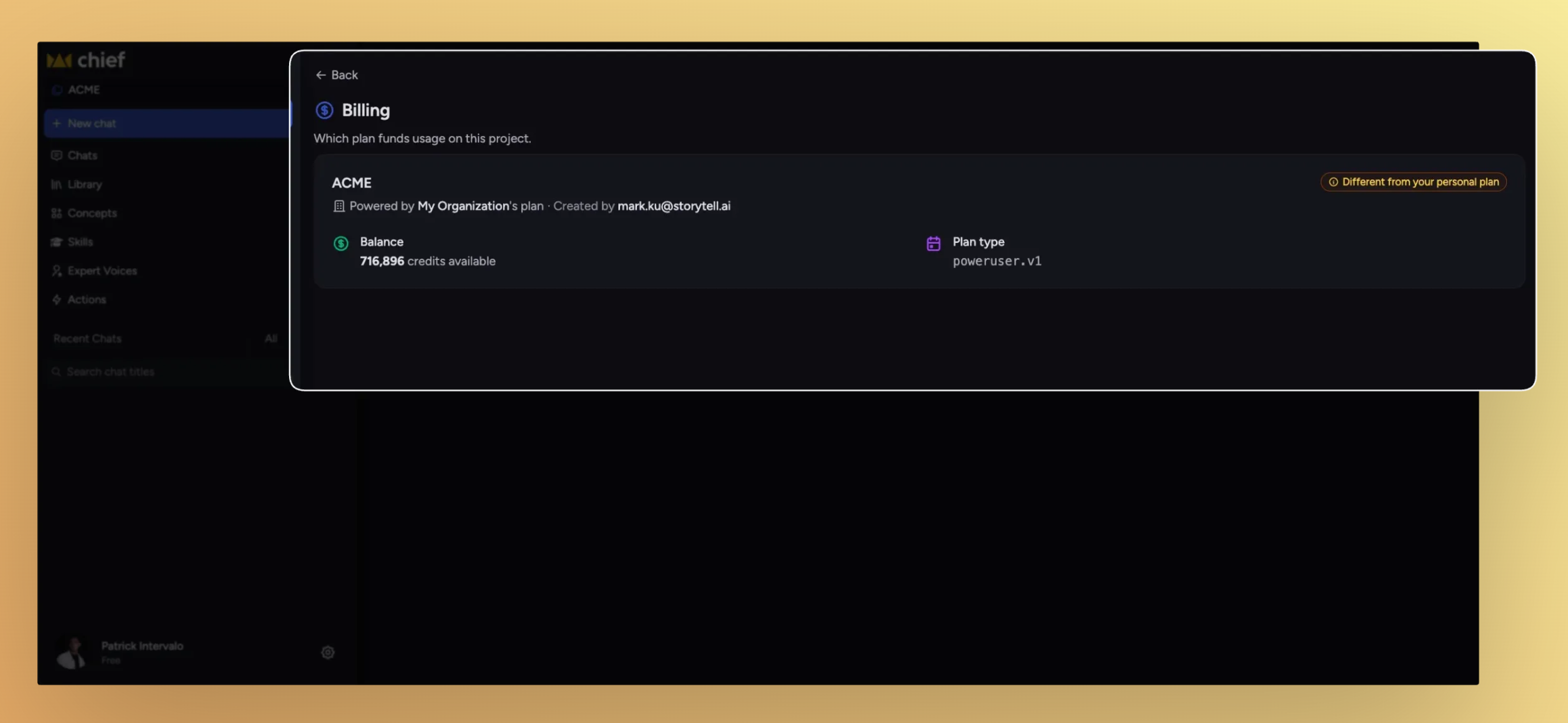
Two important things this release: a new billing system for Project owners, and a workspace-shell tune-up for everyone. Owners can now decide whose credits get drawn against for a Project's usage. Around that, the left sidebar listens to your drag, the chats list compacts when you want to scan more at once, and panel close controls finally land in the same place every time.
What's in this release
New
Decide who pays for a Project's usage
Drag the left sidebar to whatever width fits
Pick how dense your chats list feels
Improved
Close controls now land in the same place every time
Invitations show up without a refresh
Fixed
Secret Link, Email, and Domain invite buttons now actually invite
The actions list no longer flickers when you hover near its edge
The Run history pill stops covering the Share button
Collaborators and readers can see the actions they're allowed to
Decide who pays for a Project's usage
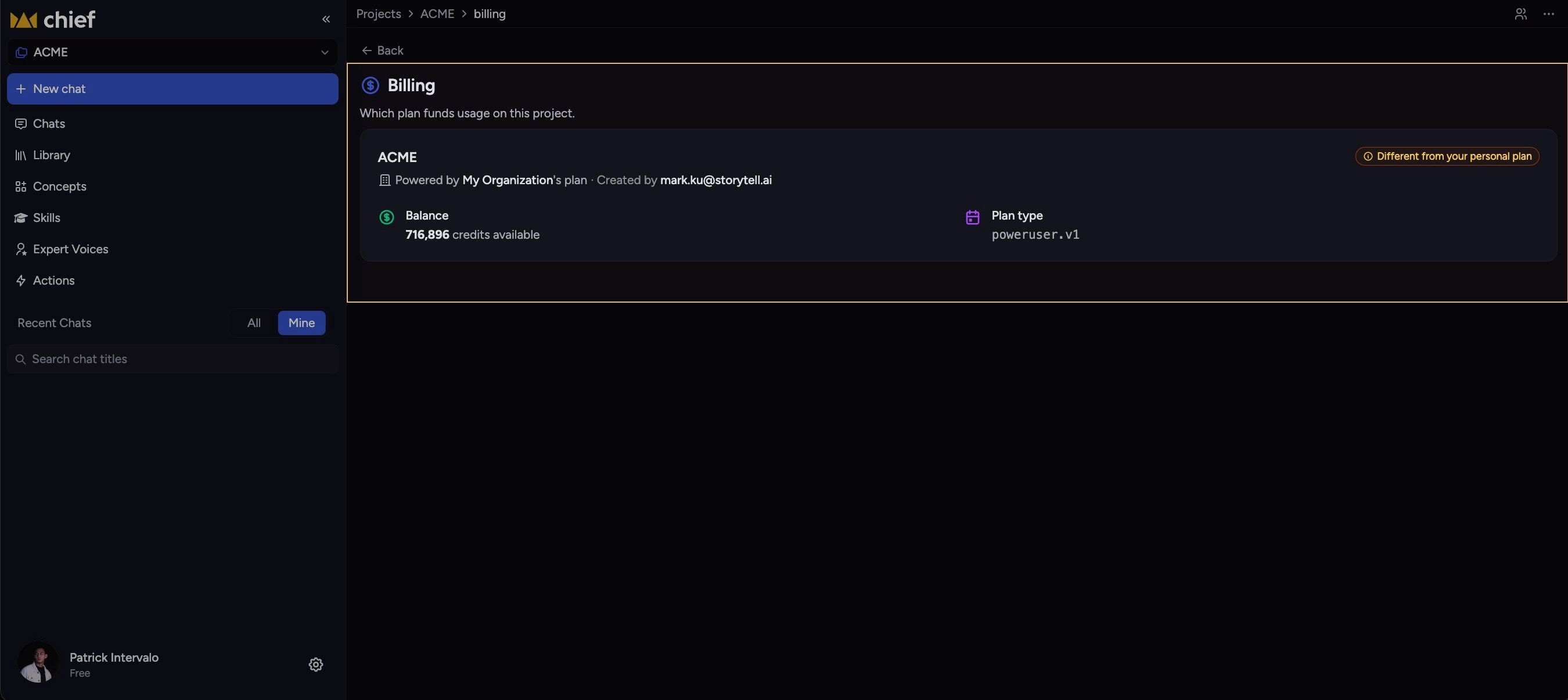
Each Project now has a billing mode that controls whose credits fund the work inside it — useful when one organization is running the Project but another is footing the bill. Set it from the Project's new Billing page, and switch context from the command palette whenever you need to.
Organization pays. The org that owns the Project covers all usage across every member. This is the new default for newly created Projects.
Each member pays for their own. Every member draws from their own plan as they go — the way billing worked before.
Pick a specific payer. Designate any org you belong to as the payer for everything that happens in the Project, regardless of who's running the work.
Want help getting this set up? Email us at support@chief.bot and we'll walk you through it
The workspace shell gets a tune-up
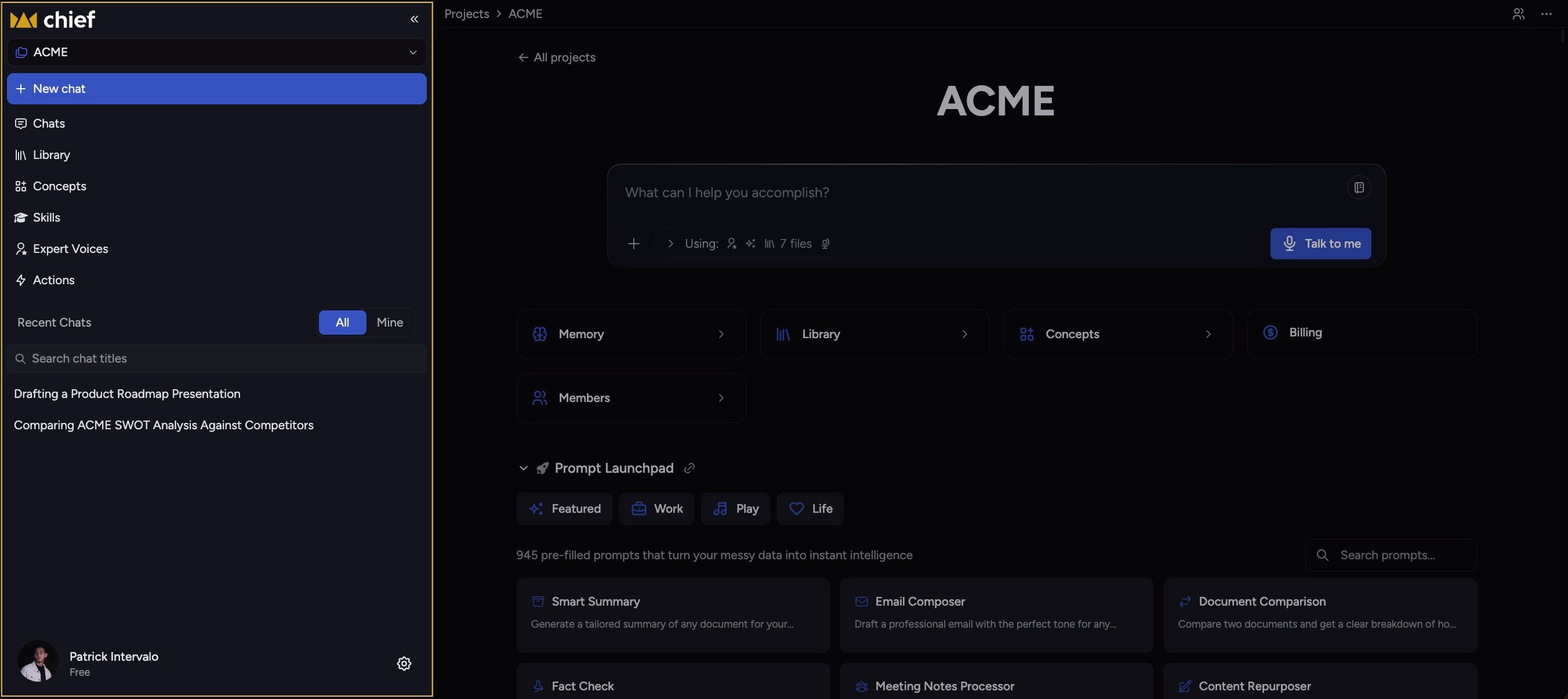
A bundle of layout polish around the navbar, side panels, and chats list — all aimed at giving you more control over how the workspace fits your screen.
Drag the left navbar to any width up to 40% of your viewport. Double-click the resize handle to snap back to default. Your width persists across reloads.
Compact / Detailed toggle on the chats toolbar. Compact tightens row padding and hides the audit metadata; Detailed keeps everything visible. Your pick sticks across sessions.
Close controls anchor to the left edge across the app — side panels, Activity timeline, operation cards. Page-provided actions like Chat move to the right. The redundant Back button in the side panel header is gone, and so is the green checkmark on finished operations (the title already says they're done).
Improvements
Invitations show up without a refresh
When someone invites you to a Project, the new Project now appears in your list automatically — no reload, no logging out and back in. The list streams updates over the live connection.
Fixes
Secret Link, Email, and Domain invite buttons now actually invite
The three invitation entry points were rendering but not wired up. Clicking any of them now opens the right flow.
The actions list no longer flickers when you hover near its edge
Hovering at the right edge of an action row used to oscillate the reveal animation, looping the row open and shut. Hover is steady now, in Chrome, Safari, and Firefox.
The Run history pill stops covering the Share button
When the main content column got narrow, the Run history pill could overlap the Share button in the chat thread header. The sticky header now reserves space for the pill whenever it's visible.
Collaborators and readers can see the actions they're allowed to
A permissions refactor briefly hid actions from collaborators and readers. They show up again, scoped to what each role is allowed to do.