May 8 – 11, 2026 Releases
Nothing gets thrown away
Three small stories add up to a release about not losing your work:
Saved Prompts now layer onto whatever's already in the prompt bar (instead of clobbering it)
Files that hit a credit limit can be retried in place (no more delete-and-re-upload), and
The upload modal hangs around through real work before tidying itself up.
What's in this release
New
One-click access to Saved Prompts from the prompt bar
Try Again for files that ran out of credits
Improved
Saved Prompts append to the prompt bar instead of overwriting
Upload status modal stays visible through real work
Insufficient-credits files behave sensibly in the scope picker
Chats default to showing everyone's work, not just yours
Fixed
Markdown formatting now survives .doc export
"1 file" reads correctly when one file is in scope
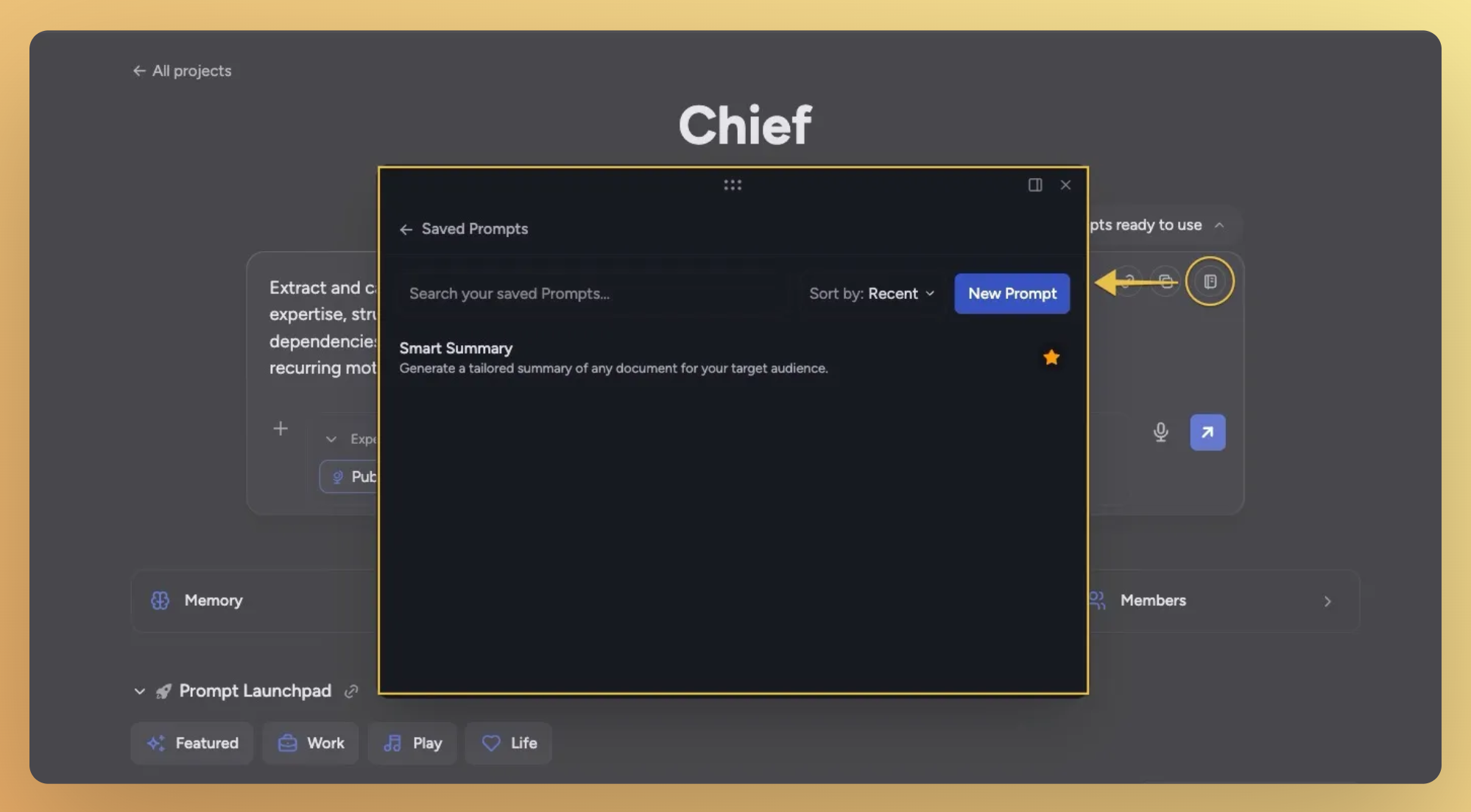
Saved Prompts — renamed, faster, and stop overwriting your draft
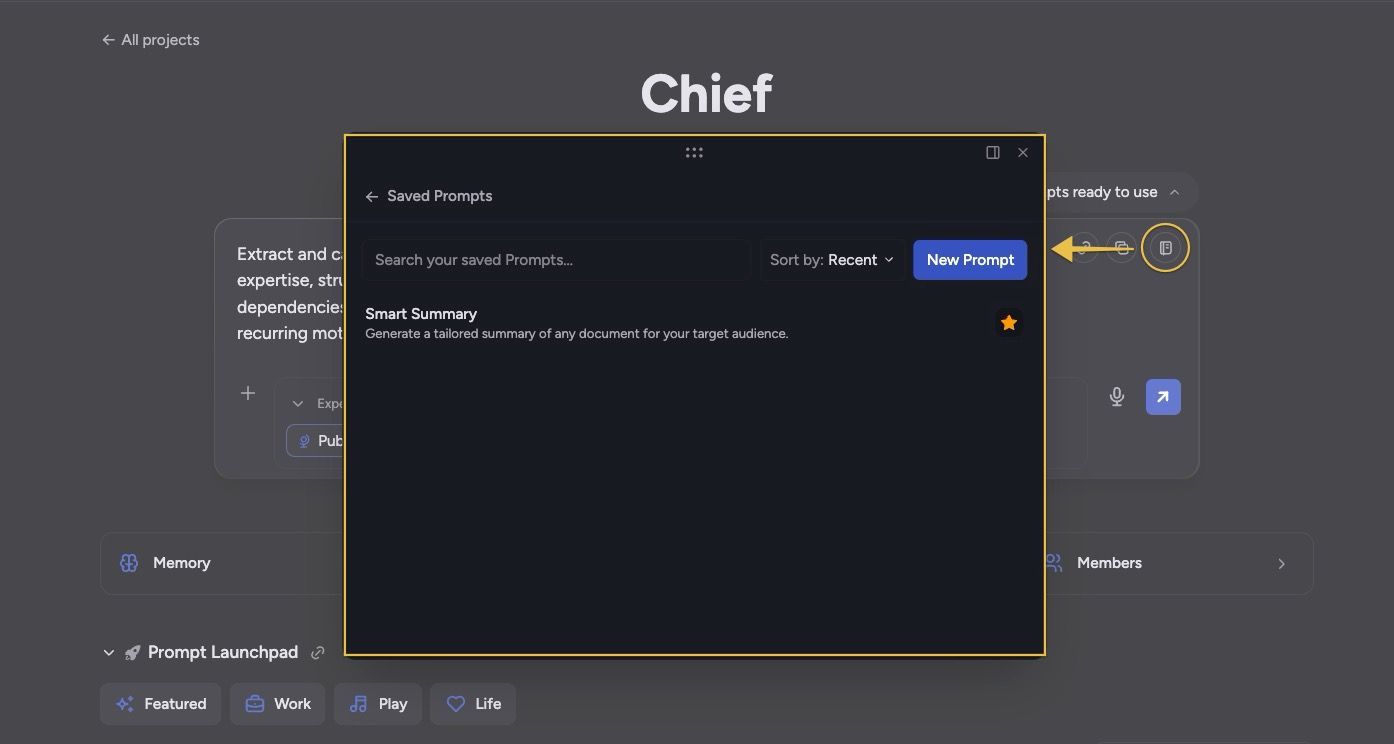
What used to be called the Prompt Library is now Saved Prompts throughout the chat and sidebar — clearer wording for the workflow most of you actually do. The bigger change is what happens when you drop one in.
Quick-access icon in the prompt bar. A new notebook icon at the top-right of the chat input opens Saved Prompts directly — no more digging through the plus menu.
Insert appends, not overwrites. Pull a saved prompt into a bar you've already started typing in and it merges onto what's there instead of wiping your draft. An empty bar still inserts cleanly.
Focus jumps to the right place. After inserting, focus and scroll land on the first template variable of the prompt you just added — not somewhere off-screen.
Try Again for files that ran out of credits
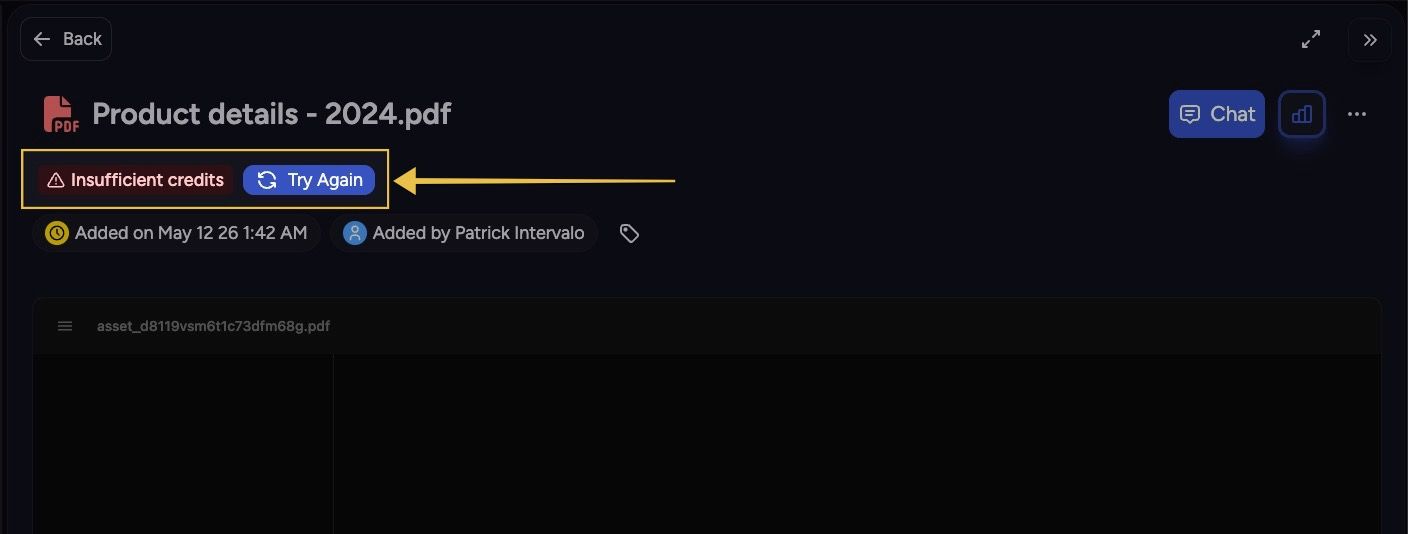
If a file fails to process because your account ran out of credits, you no longer have to delete and re-upload after topping up. A Try Again button now sits next to the Insufficient credits pill — click it, the file re-queues, and you see live feedback as it goes.
Both surfaces. The Try Again button appears on the library card and the asset detail panel.
Live status. Spinner while requeuing, green Queued on success, red Retry failed with the server error in the tooltip if something else goes wrong.
Scope picker handles it cleanly. Rows for insufficient-credits files are no longer selectable in the scope picker, but the same Try Again button lives right inside the row so you can recover the file without leaving the picker.
Improvements
Upload status modal stays visible through real work
The upload modal used to auto-minimize on a flat 10-second timer regardless of whether your files had actually finished. Now it stays open while uploads are running and gracefully steps out of the way once the batch is fully ready — minimizes after about a second and a half, dismisses a couple of seconds after that. Minimizing manually still cancels the auto-dismiss sequence, so you can keep the pill on screen if you want it.
Chats default to showing everyone's work, not just yours
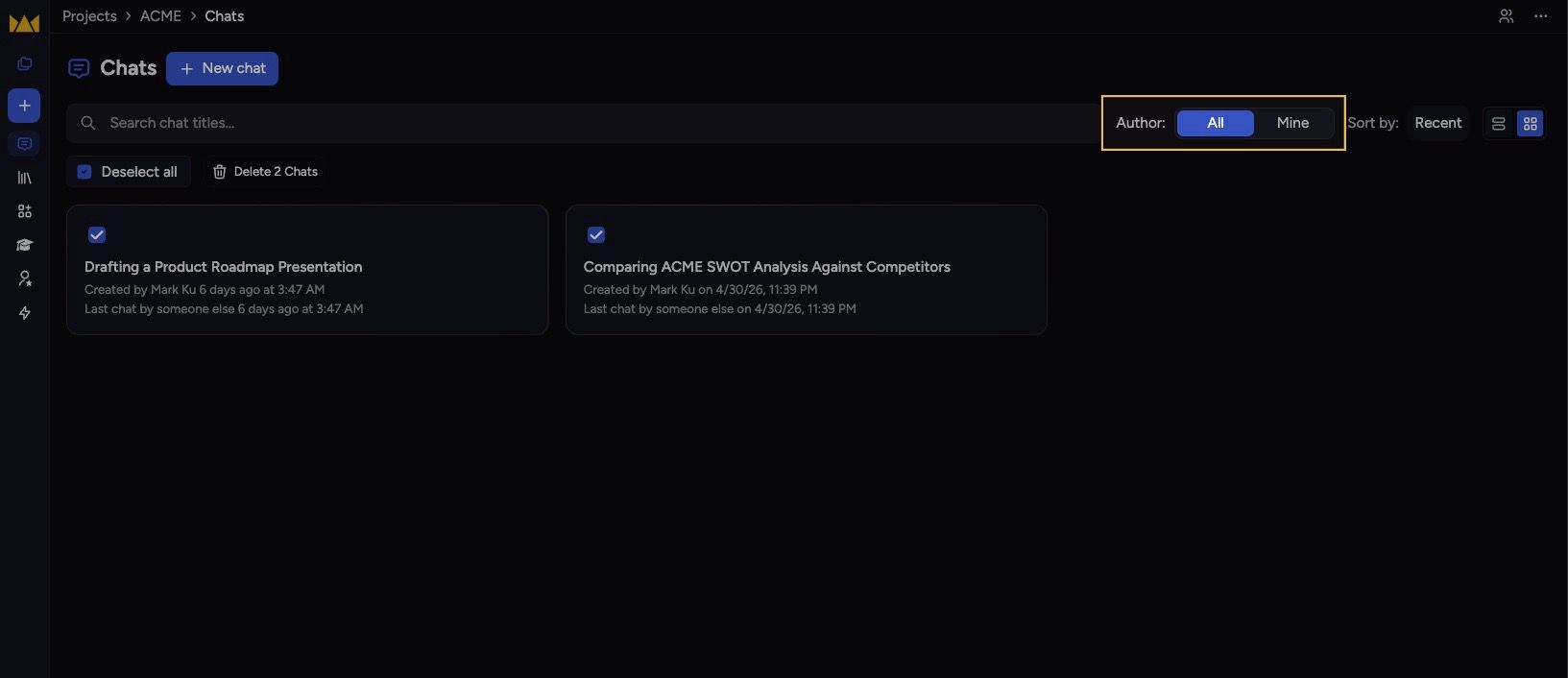
The author filter on the Chats page now defaults to All instead of Mine, and the segmented control is reordered to put All first. The sidebar's Recent Chats section drops the mine-only filter entirely and is relabeled simply Recent Chats. Invitees to a shared project no longer land on an empty list.
Fixes
Markdown formatting now survives .doc export
Downloading a chat to .doc was running everything through a plain-text stripper before wrapping it in paragraphs — headings, lists, emphasis, code, and tables all disappeared. The export now walks the same content structure the chat does and emits semantic HTML, so Word renders the file with the same formatting you see on screen. PDF export was untouched and still works the same.
"1 file" reads correctly when one file is in scope
The collapsed scope summary in the prompt bar was rendering "1 files" — it now switches to the singular form when exactly one file is attached.