May 8, 2026 Updates- Stay in flow with faster previews and smoother recovery from stuck uploads
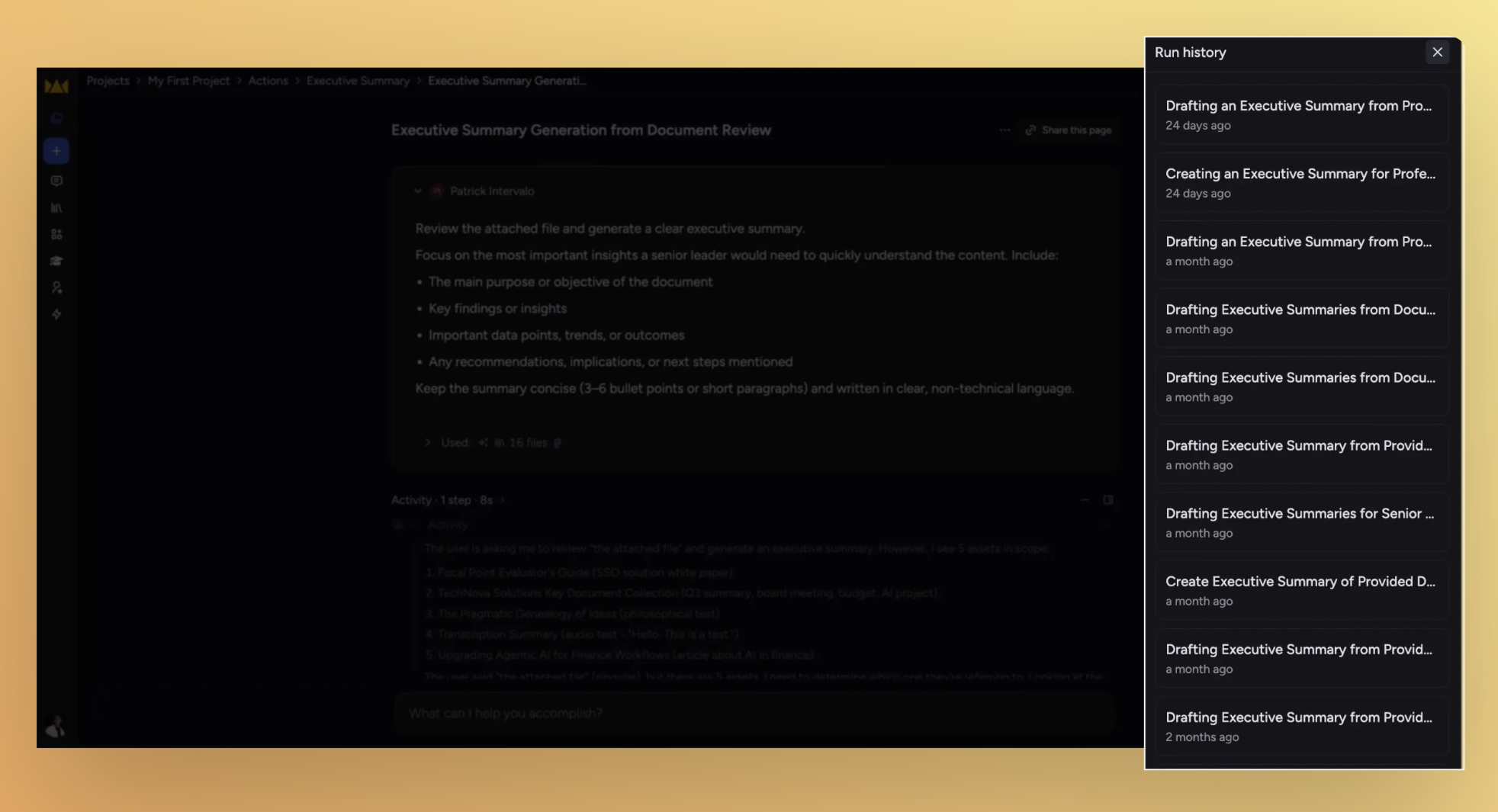
This update is about keeping you in flow: browse past action runs without leaving chat, see your library files rendered the way they were meant to look, and unstick the ones that got hung up along the way.
What's in this release
New
Browse action runs without leaving the thread
Library files preview the way they're meant to look
Improved
See and unstick files in flight
One click out of fullscreen
Removing an Expert mention leaves a clean sentence
Fixed
The text-selection menu yields when you scroll past it
Pasted text expands without phantom whitespace
Newly uploaded files are searchable right away
@mentioning a file no longer wipes your prompt
Browse action runs without leaving the thread
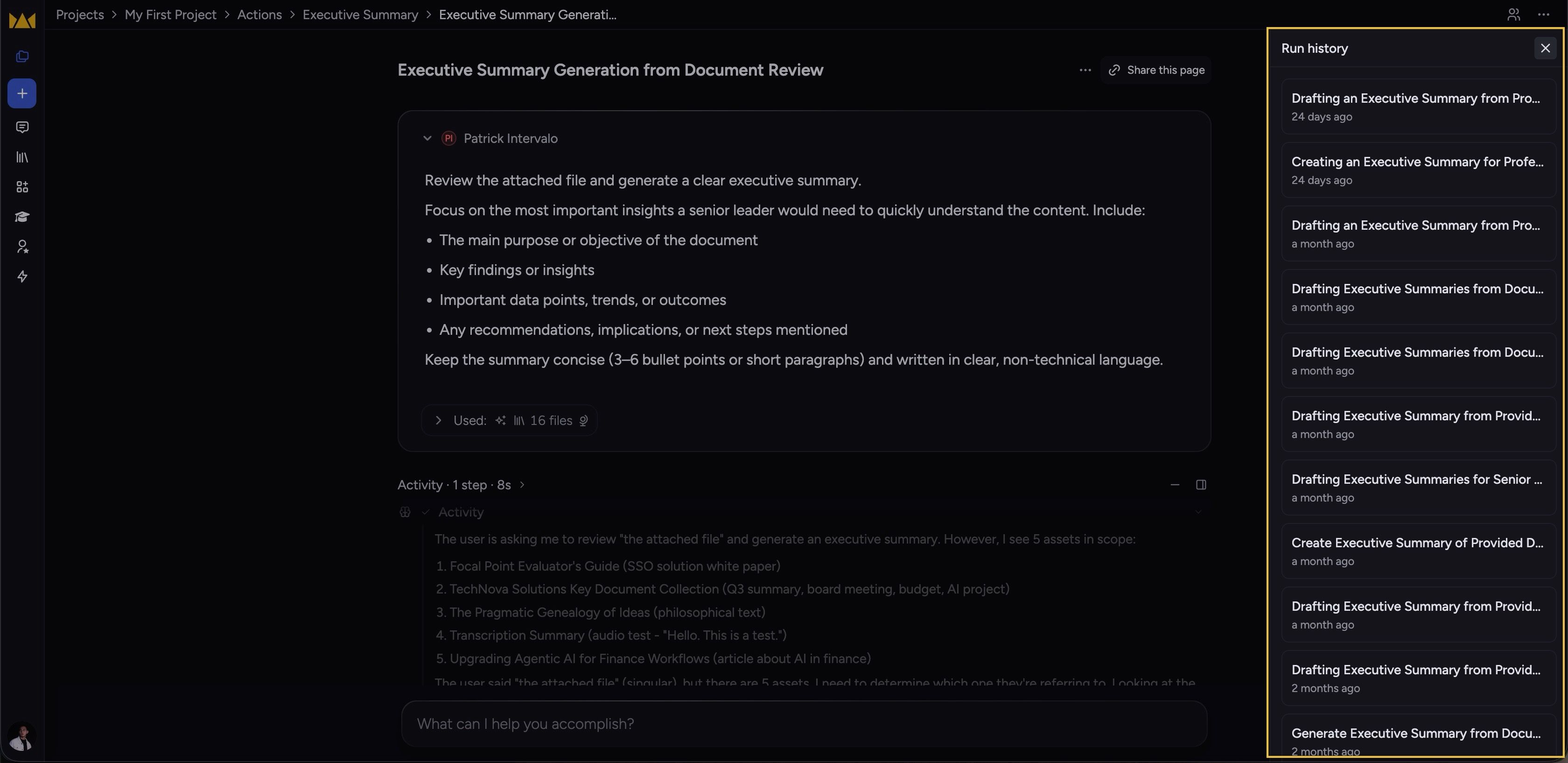
A new Run history drawer slides in on the right whenever you're inside an action's execution context, listing recent runs so you can hop between them without breaking out of chat.
Trigger sits in the top-right. Toggle it from the corner; your last open/closed state sticks across reloads.
Library files preview the way they're meant to look
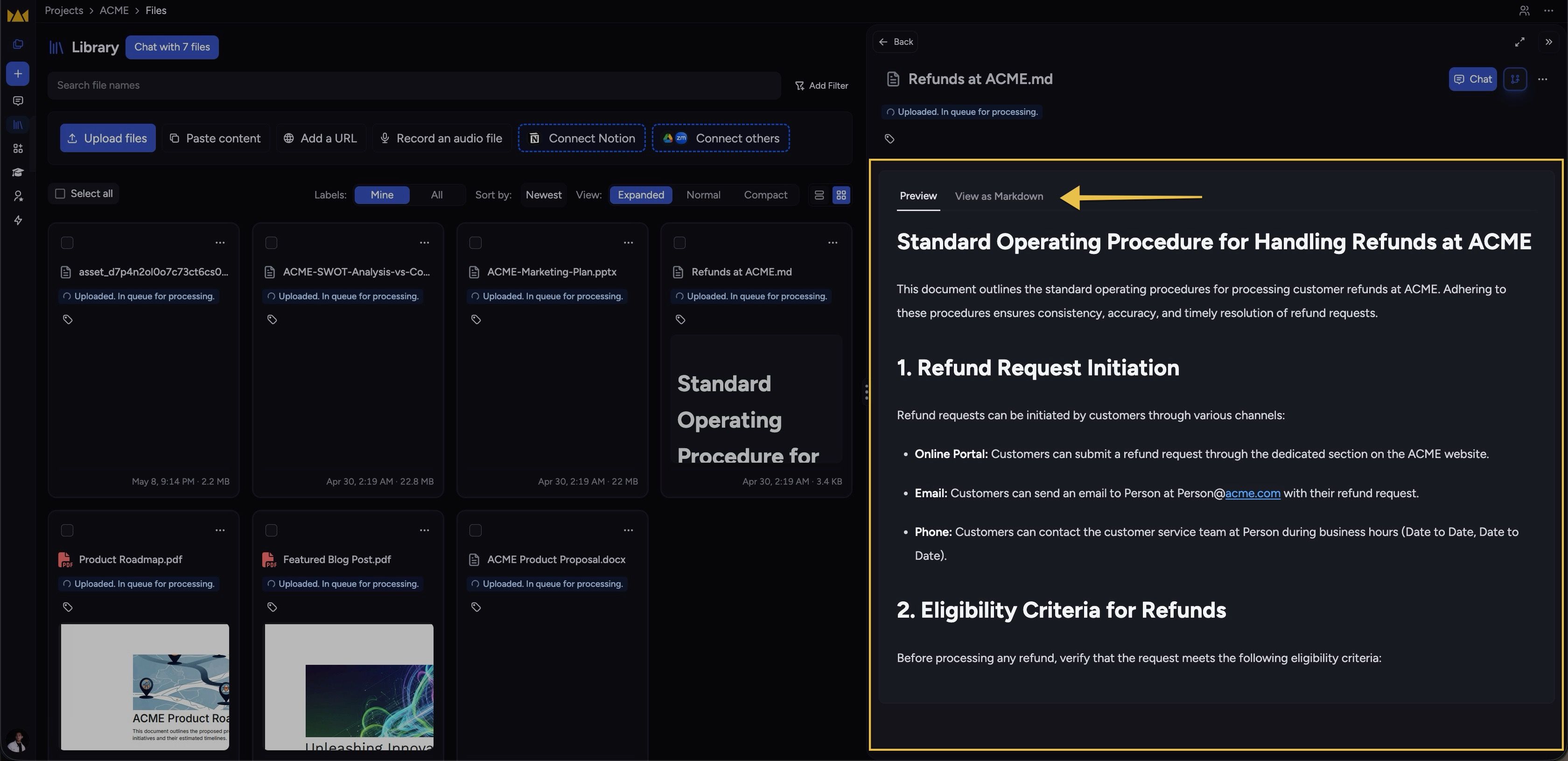
Markdown files in your library now render as Markdown — both in card thumbnails and in the side-panel preview — instead of an unformatted text blob.
Toggle between formatted and raw. New
View as MarkdownandView as Plain Texttabs let you flip between rendered and source, with full keyboard navigation.Plain-text files get the same treatment.
.txtfiles preview through the same renderer, with the raw source one tab away.
Improvements
See and unstick files in processing
The processing-wait modal now lists every upload with its current status and a delete action.
Files stuck in upload or processing for over 3 hours surface a
Cancelaction in the scope picker.Failed files surface a
Removeaction — no more waiting on backend retries.
One click out of full screen
The presentation overlay now shows a close (X) in the top-right; the redundant Full Screen toggle is gone from the bottom toolbar. Esc still works.
Removing an Expert mention leaves a clean sentence
When you remove an Expert from an improved prompt, the surrounding "Use … to" wrapper goes with it, and the surviving verb is capitalized — so you get "Extract the key concepts…" instead of "Use to extract…".
Fixes
The text-selection menu yields when you scroll past it
"Do more with this text" now hides when the highlight scrolls out of the chat viewport and re-anchors when you scroll back. Your selection is preserved across the trip.
Pasted text expands without phantom whitespace
Collapsing pasted content into the prompt editor no longer leaves stray top or bottom blank lines, and numbered lists keep their numbering instead of resetting.
Newly uploaded files are searchable right away
Assets that just finished uploading now participate in LLM search instead of waiting for a later state.
@mentioning a file no longer wipes your prompt
Selecting a file from the @-mention picker used to feel like a brief page reload and clear what you'd typed. The prompt editor now holds its place when you pick a file.