Memory: Storytell that remembers, so you don’t have to repeat yourself
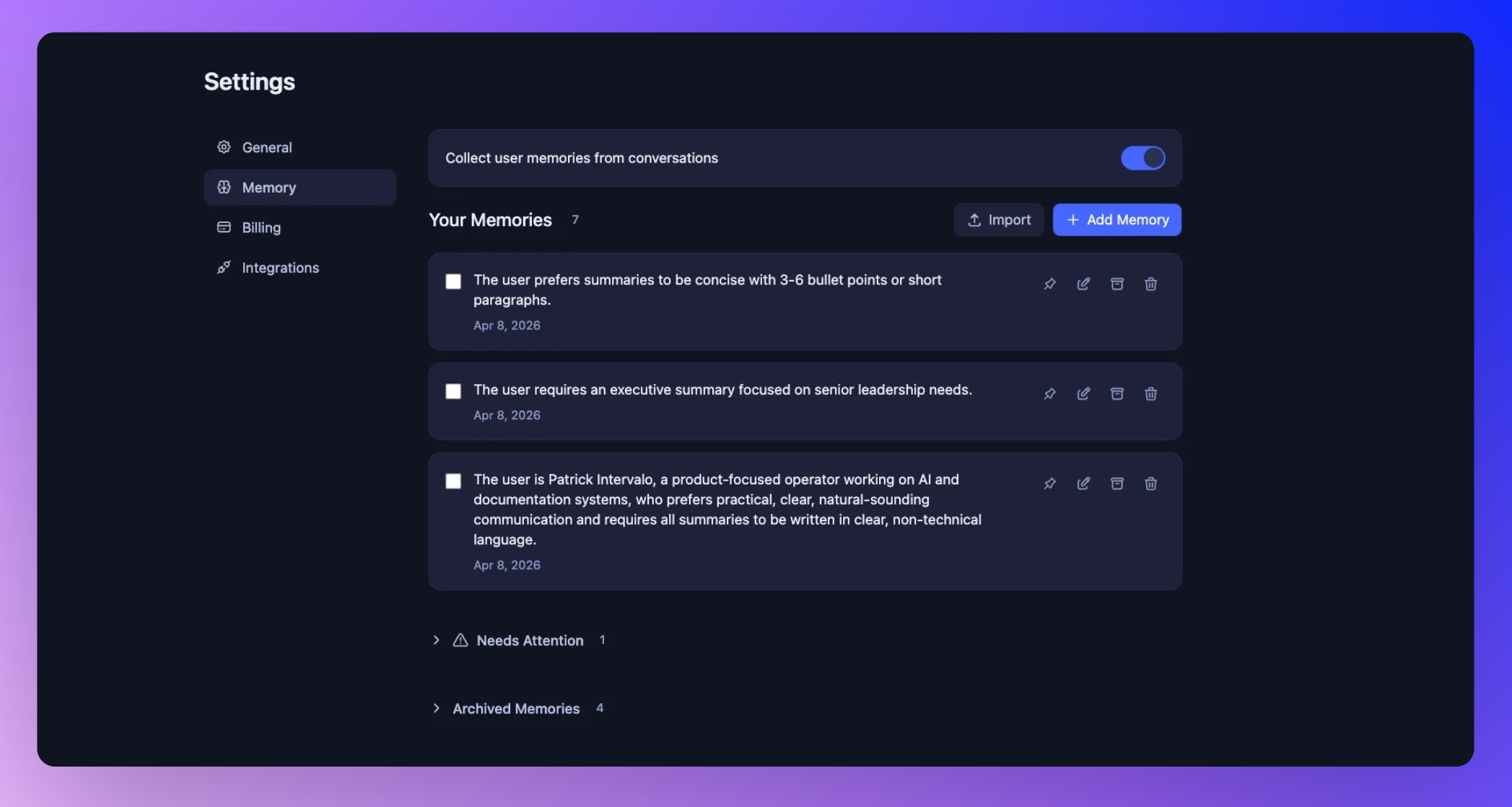
You shouldn’t have to restate your preferences, your work, or your context every time you start a new chat.
With Storytell Memory, Storytell now carries important details forward so conversations feel continuous, not reset every time.
Over time, it learns how you like to work, what you’re working on, and what actually matters.
What this unlocks
Storytell can now:
Remember how you like responses written (tone, format, level of detail)
Keep track of important facts you’ve shared
Carry context across chats and projects
Reduce repetitive back-and-forth
Adapt responses based on your history, not just your last prompt
Think of it as building context once and letting Storytell reuse it intelligently.
How it behaves
Memory runs quietly in the background.

As you chat, Storytell can:
Pick up useful signals (like preferences or recurring instructions)
Organize them into structured memory
Update or replace outdated information
Ignore anything that isn’t worth keeping long-term
When you send a new message, it automatically pulls in the right memories to improve the response.
You’re in control
Memory isn’t all-or-nothing.
You can:
Turn automatic memory collection on or off anytime
View everything Storytell has remembered about you
Edit, delete, or archive memories
Add your own context manually
Manage multiple memories at once (including merging them)
Built for real workflows
Memory adapts to where context belongs:
User-level → your personal preferences and working style
Project-level → context specific to a project
Organization-level → shared team knowledge (when enabled)
This keeps responses relevant without mixing unrelated context.
A few things to try
Tell Storytell how you want responses formatted once, then stop repeating it
Let it learn your current project instead of re-explaining it every chat
Import structured notes or background to bootstrap your setup
Periodically review your Memory to keep it clean and accurate
Memory makes Storytell feel less like a tool you prompt, and more like a system that actually knows how you work.